Holidays, event filtering & a faster calendar
Holidays on your calendars
You can now show public/federal holidays right on a project calendar.
Toggle holidays on or off per calendar from View options.
It defaults to your region automatically, and you can add more regions to a single calendar — handy when you're shooting somewhere else.
Push/Pull can skip holidays (alongside skipping weekends), so shifting a schedule lands on real working days.
Holidays also show up in your PDF/PNG exports (with their own on/off toggle in the export window).
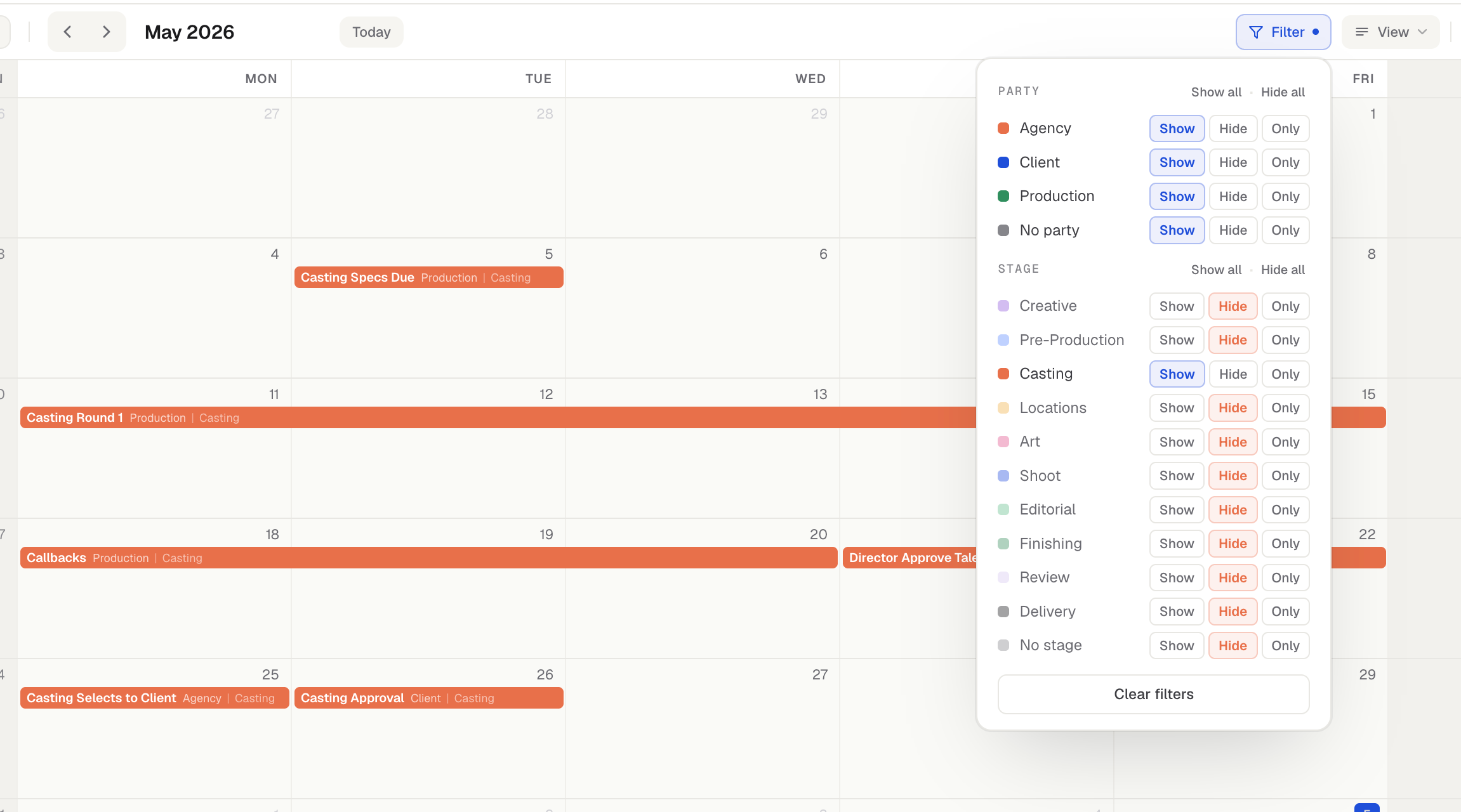
Filter your calendar by party & stage
A new Filter menu lets you show or hide events by party or stage. Use this to single out a particular stage, quickly see all events linked to a particular party, or reduce clutter.
Add & rename parties and stages without leaving the event window
When creating or editing an event, you can now add a new stage/party or rename an existing one straight from the dropdown — no trip to Settings. You can also leave the party or stage blank on an event.
Control weekend shading
Don't want weekends greyed out? There's a new toggle (in View options and in the export window) to turn it off. Either way, event text on weekends now always stays fully readable.
Other improvements
Master Calendar now defaults to showing project names (with party/stage off) and remembers however you last set it.
The edit-event window is larger, and the party/stage dropdowns now open over the window instead of getting cut off.
Renaming a folder is instant (no more waiting for the old name to update).
Clearer loading feedback when signing in or creating an account, so it no longer looks stuck.
Cleaner event-label and color-key wrapping on tighter layouts.