Selecting multiple events
Change, move, or delete many events at once.
Last updated 3 months ago
When you need to act on several events together, use multi-select instead of editing them one by one.
Select events
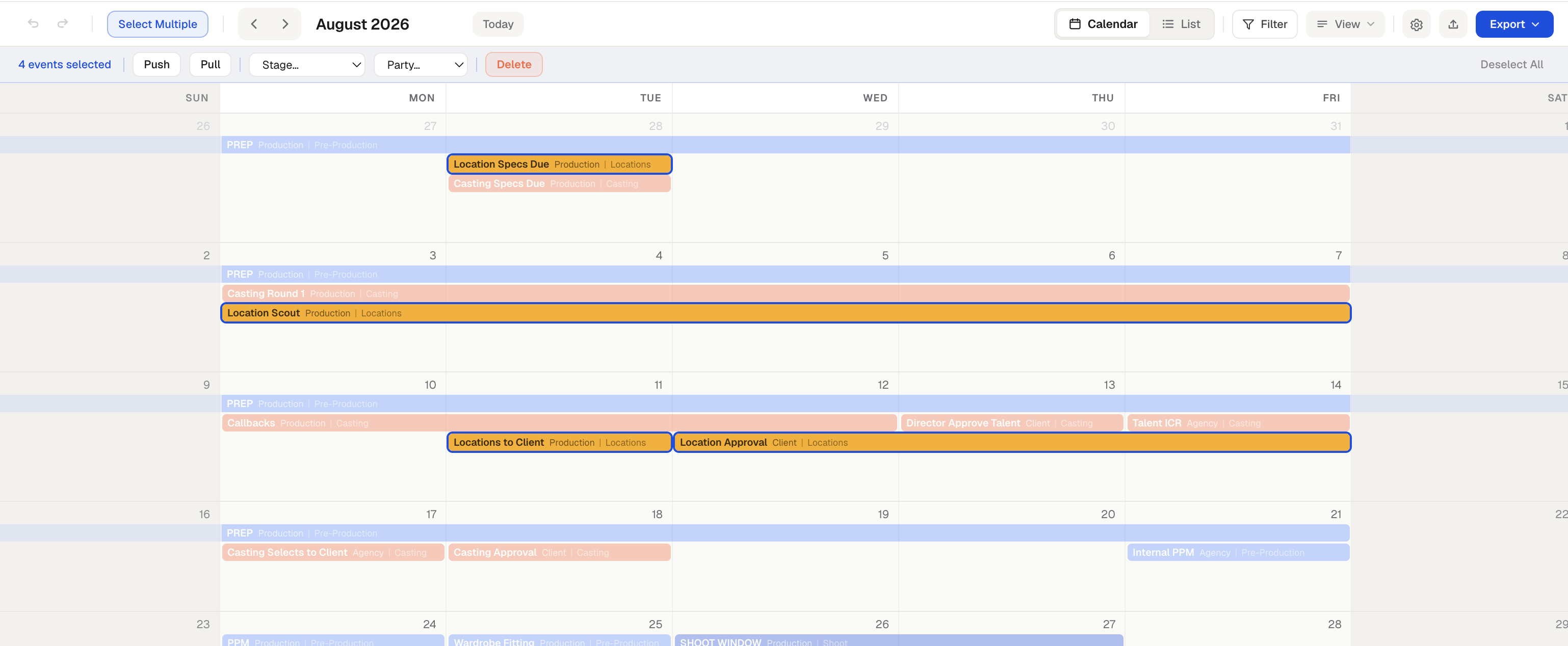
Click Select Multiple in the toolbar, then click the events you want. A selection toolbar appears showing how many are selected.
What you can do with a selection
Change the Stage or Party of all selected events at once.
Push or Pull them together by a number of days.
Delete them.
Duplicate them — a copy of each drops in place.
Copy them, then right-click any day and choose Paste to drop the whole group there, keeping their spacing.
Drag any selected event to move the whole group together, keeping their spacing. This is a quick alternative to Push and Pull when you just want to shift a cluster of events.
Click Deselect All when you are done.
Multi-select works together with your Filter: only visible events can be selected, and if you change the filter mid-selection, events that leave the view are deselected automatically.
Was this helpful?
Still need help? Ask the team